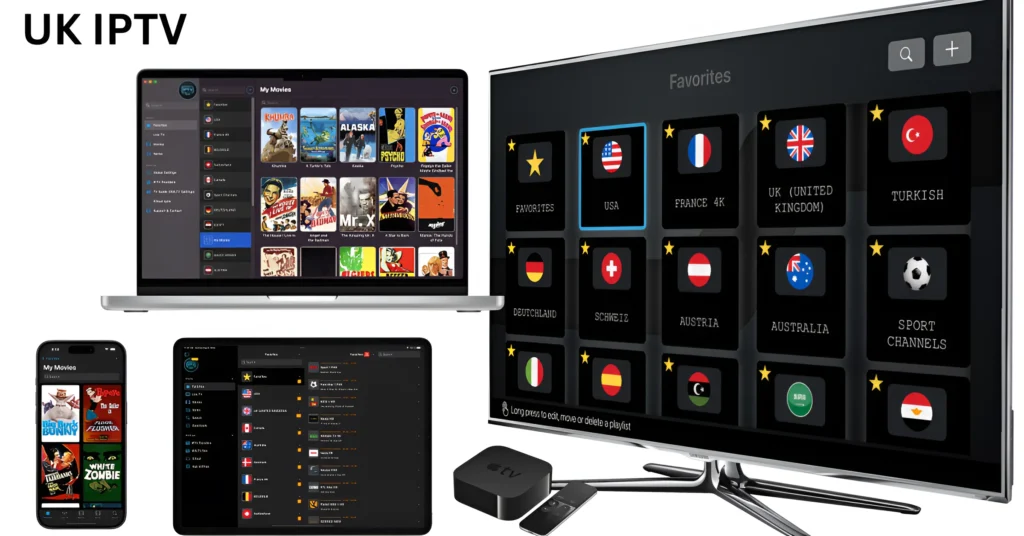
Introduction to IPTV on Android TV
Let’s face it—traditional TV is starting to feel like an old flip phone in a smartphone world. Android TV paired with IPTV is the modern solution UK viewers are turning to for live channels, movies, sports, and series—all streamed through the internet.
IPTV (Internet Protocol Television) delivers content via broadband instead of satellite or cable. When you combine that with Android TV, you get a powerful, flexible, and customizable entertainment system. No dish. No long contracts. Just install an app, add your playlist, and start watching.
Android TV is perfect for IPTV because it supports a wide range of apps, powerful hardware acceleration, and smooth navigation with a remote. It’s like turning your TV into a streaming supercomputer.
Important Qualities to Consider in IPTV for Android TV
Not all IPTV services are created equal. If you want a smooth experience, you need to know what to look for.
HD, Full HD, and 4K Streaming
A premium IPTV service should offer multiple resolutions. HD is standard, Full HD is better, and 4K is the gold standard for sports and movies.
Fast Channel Switching
Nobody likes waiting five seconds for a channel to load. Good IPTV services offer near-instant channel switching, similar to traditional TV.
EPG Integration
An Electronic Program Guide (EPG) shows what’s on now and what’s coming next. It makes IPTV feel like a normal TV service—but smarter.
Catch-Up TV and VOD
Missed a show? Catch-up lets you rewind time. Video on Demand gives you a library of movies and series available anytime.
Multi-Device Compatibility
Even if your main screen is Android TV, your subscription should work on phones and tablets too.
Best IPTV Apps for Android TV
Apps are the engine of your IPTV experience. Choosing the right one makes a huge difference.
TiviMate IPTV Player – Premium Experience
Most people agree that TiviMate is the greatest IPTV app available for Android TV. It offers a clean interface, fast performance, customizable layouts, and advanced EPG support. It feels like a real cable TV interface—but better.
IPTV Smarters Pro – Beginner-Friendly
If you’re new to IPTV, Smarters Pro is easy to set up. It supports live TV, VOD, series, and catch-up with a simple design.
OTT Navigator – Advanced Features
For power users who love customization, OTT Navigator offers multi-screen view, filters, and detailed channel management.
Perfect Player – Lightweight and Fast
Perfect Player is ideal for low-end Android TV boxes. It’s fast, simple, and stable.
Televizo – Smooth Performance
Televizo is a newer app that runs smoothly even on budget devices and supports modern streaming formats.
Top IPTV Services Compatible with Android TV in UK
A good IPTV UK service should offer:
UK entertainment channels
Sky Sports, BT Sport, and live football
Movies and series libraries
Stable servers with minimal buffering
Free trial options
Server stability is the most important factor. Even the best app can’t fix a weak IPTV service.
How to Install IPTV on Android TV
Setting up UK IPTV on Android TV is surprisingly simple.
Step 1: Install an IPTV App
Go to the Google Play Store and download TiviMate, IPTV Smarters, or another player.
Step 2: Add Your Playlist
Enter the Xtream Codes or M3U URL that your IPTV provider has given you.
Step 3: Load Channels and EPG
Wait a few seconds for the channel list and program guide to load.
Step 4: Start Watching
That’s it. No cables. No technician visits.
Best IPTV Settings for Smooth Performance
Want zero buffering? Adjust these settings:
Increase buffer size inside your app to prevent interruptions. Enable hardware decoding for smoother playback. Choose the built-in video player for better stability.
Keeping your app updated also ensures compatibility with the latest streaming protocols.
Internet Requirements for IPTV on Android TV
Your internet speed determines your streaming quality.
HD streaming: 20 Mbps
Full HD streaming: 30 Mbps
4K streaming: 50 Mbps or higher
A wired Ethernet connection is always better than Wi-Fi for Smart TVs. It reduces latency and prevents buffering during live sports.
Android TV Devices That Work Best with IPTV
Not all Android TV devices perform the same.
Smart TVs with Built-In Android TV
Sony and some Philips TVs offer excellent performance with built-in Android TV.
Android TV Boxes
Affordable and powerful, these boxes turn any TV into a smart IPTV hub.
Nvidia Shield – The Ultimate IPTV Device
If you want top performance, Nvidia Shield delivers lightning-fast navigation and flawless 4K streaming.
Firestick vs Android TV
Firestick is popular, but Android TV offers more customization and better app compatibility.
Advantages of Using IPTV on Android TV
Watching British IPTV on a large screen with a remote control feels natural and comfortable. Features like picture-in-picture, recording, and customizable channel groups make the experience even better.
You can pause live TV, rewind matches, and organize channels into favorites—something traditional TV rarely allows.
Common IPTV Problems on Android TV and Fixes
Usually, slow internet or busy servers are the source of buffering. Switching to Ethernet often fixes it.
If an app crashes, clear cache or reinstall it. If the EPG isn’t showing, refresh the playlist.
Most problems are simple to solve with small adjustments.
IPTV Pricing in the UK
Let’s talk about the question everyone asks first: how much does IPTV cost?
Compared to traditional cable or satellite, IPTV is significantly more affordable. Most UK IPTV subscriptions offer monthly, quarterly, and yearly plans. Monthly plans are perfect for testing the service, while yearly subscriptions provide the best value.
Typical pricing depends on:
Number of connections (single or multi-device)
Channel count and VOD library
Streaming quality (HD vs 4K)
Server stability and support
The real advantage? No installation fees, no equipment rental, and no long-term contracts. You pay for what you use—nothing more.
Free Trial vs Paid Subscription
A free trial is your test drive. It lets you evaluate:
Channel loading speed
EPG accuracy
Picture quality
Buffering during live sports
If a service doesn’t offer a trial, that’s a red flag. Testing on your Android TV ensures compatibility and performance before you commit.
Paid subscriptions unlock the full channel list, VOD libraries, and multi-connection features that trials often limit.
Legal Considerations for IPTV in the UK
Cheap iptv subscription itself is legal—it’s just a technology. Many legitimate platforms use IPTV to deliver content over the internet.
The key difference is licensing. Licensed services have legal rights to distribute the channels they offer. Always choose reputable providers that operate transparently and respect broadcasting regulations.
Avoid services that seem too good to be true—thousands of premium channels for extremely low prices often indicate unauthorized streams.
IPTV Security and Privacy on Android TV
Security isn’t just for computers—it matters on your TV too.
Use Strong Login Credentials
Avoid simple passwords. Your IPTV subscription uk account is like your streaming identity—protect it.
Keep Apps Updated
Updates fix bugs, improve performance, and patch security vulnerabilities.
Avoid Unknown APK Files
Only install apps from trusted sources. Sideloading random APKs can introduce malware.
Use Secure Networks
Streaming on public Wi-Fi without protection can expose your data. A secure home network is always safer.
Advanced Performance Tips for Android TV IPTV
Want the smoothest possible experience? These tips make a big difference.
Use Ethernet Instead of Wi-Fi
A wired connection reduces latency and provides consistent speeds—especially important for live sports and 4K content.
Close Background Apps
Android TV devices have limited memory. Closing unused apps frees up resources for streaming.
Enable Hardware Acceleration
Most IPTV apps offer hardware decoding. Turning this on improves video playback and reduces buffering.
Adjust Buffer Settings
Increasing buffer size helps prevent interruptions during peak internet usage.
Recording and Catch-Up Features
One of the biggest advantages of IPTV packages on Android TV is time control.
Catch-up TV lets you watch programs you missed without scheduling recordings. Some IPTV apps also support recording live TV directly to external storage.
It’s like having a personal DVR—but smarter and more flexible.
EPG Customization and Channel Organization
A well-configured EPG transforms your IPTV uk fhd experience.
You can:
Group channels by category (Sports, Movies, Kids, News)
Hide unwanted channels
Add favourites for quick access
This turns a long channel list into a personalized TV interface.
Multi-Connection and Family Viewing
Many IPTV providers offer multi-connection plans. That means:
One person watches sports in the living room
Another streams movies in the bedroom
Kids watch cartoons on a second Android TV
All at the same time.
It’s more cost-effective than multiple cable boxes and perfect for households with different viewing preferences.
Best Android TV Hardware for IPTV
Hardware matters more than most people realize.
Budget Android TV Boxes
Good for HD streaming and basic use. Ideal for casual viewers.
Mid-Range Devices
Offer better processing power and smoother navigation. Great for Full HD content.
High-End Devices (Nvidia Shield)
The ultimate choice for 4K streaming, fast channel switching, and zero lag.
Think of your IPTV app as the engine and your device as the car—both need to be powerful for the best performance.
Comparing IPTV with Traditional TV in the UK
Traditional TV locks you into fixed schedules and expensive bundles. 4k iptv subscription uk gives you:
On-demand content
Multi-screen viewing
Custom channel lists
No contracts
It’s not just cheaper—it’s smarter.
Future of IPTV on Android TV
The future is exciting and fast.
AI-Powered Recommendations
Your IPTVUK will learn your viewing habits and suggest content automatically.
8K Streaming
As internet speeds increase, 8K channels will become more common.
Cloud DVR
Recordings stored in the cloud will eliminate the need for external storage.
Voice Control Integration
Using voice assistants, you’ll be able to change channels, search movies, and control playback without touching the remote.
How to Choose the Best IPTV for Android TV in UK
Before subscribing, check these essentials:
Stable servers with high uptime
Fast channel loading
Accurate EPG
Free trial availability
Responsive customer support
Testing the service on your Android TV is the best way to ensure compatibility and performance.
Common Mistakes to Avoid
Many users make simple mistakes that affect performance:
Using slow internet connections
Overloading devices with apps
Ignoring updates
Sharing accounts across too many devices
Fixing these instantly improves streaming quality.
Best Use Cases for IPTV on Android TV
IPTV without buffering on Android TV is perfect for:
Watching live Premier League matches in 4K
Binge-watching series on a large screen
Streaming movies with cinema-like quality
Accessing international channels
It brings the full entertainment experience into your living room.
Final Conclusion
IPTV on Android TV is one of the best ways to enjoy modern television in the UK. It combines flexibility, affordability, and high-quality streaming into one powerful platform.
With the right IPTV reseller, a reliable internet connection, and a well-optimized Android TV device, you can enjoy live TV, sports, movies, and series in HD and 4K without buffering or restrictions.
As technology evolves with AI recommendations, cloud DVR, and faster internet speeds, 9 month iptv subscription on Android TV will continue to dominate the future of home entertainment.
If you want a smarter, faster, and more customizable TV experience, IPTV on Android TV is the clear winner.
FAQs
1. What is the best IPTV app for Android TV in the UK?
TiviMate is widely considered the best due to its advanced features and smooth interface.
2. Do I need a VPN for IPTV on Android TV?
Using a VPN improves privacy and security, especially on shared networks.
3. Can Android TV handle 4K IPTV streaming?
Yes, with a fast internet connection and a capable device like Nvidia Shield.
4. Why does IPTV buffer on Android TV?
Buffering is usually caused by slow internet, weak Wi-Fi, or low device memory.
5. Is IPTV cheaper than cable TV in the UK?
Yes, IPTV subscribe is typically more affordable and offers more flexibility.